Today
Hi
Loading the last check...
Left in your inboxes
0Mail from real people and accounts. This is what's worth reading today.
Loading the last check...
Mail from real people and accounts. This is what's worth reading today.
Everything that arrived, grouped by mailbox, so nothing slips past.
Filed three times a day by the gaming PC. Sort the unsure ones here. Each answer becomes a rule, so the same seller files itself next time.
Nothing moves until you approve it. Approved groups go to Trash, not a permanent delete. The PC moves one email first as a test, then the rest, then checks the count.
How much of each inbox is junk, who sends the most, and what was cleaned.
Only Joshua sees this page.
None yet.
Put it on your home screen so it opens like an app.
Tap the picture to see it full size.
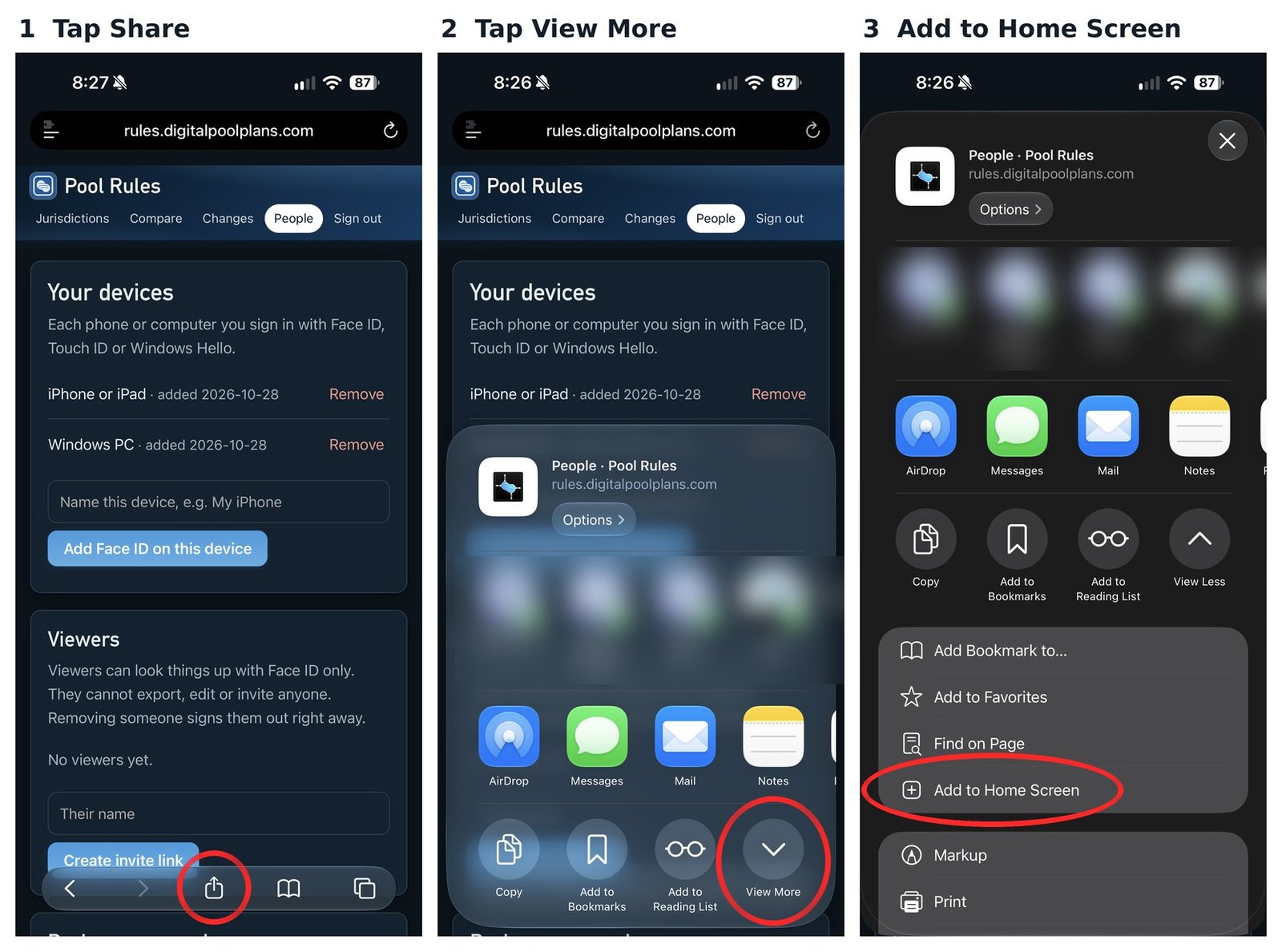
The pictures are from another of Joshua's apps. The steps are the same for Email Cleaner.
In Chrome: tap the menu (three dots, top right), then Add to home screen or Install app.
In Samsung Internet: tap the menu, then Add page to, then Home screen.
When the app is changed, a bar shows up at the top: "Email Cleaner was updated. Tap to refresh." Tap it to get the newest version. Nothing you saved is lost.
Email Cleaner can send an alert to your phone when something is ready, even when the app is closed. Turn it on in Settings (the gear, top right), then tap Allow.
On iPhone, alerts only work when Email Cleaner is on your Home Screen. Add it first (steps above), open it from the Home Screen, then turn alerts on.
Alerts are for your phone only. Signing out of this phone turns them off. To stop them, tap Turn off alerts in Settings.
Face ID or fingerprint sign-in is set up once, from a one-time setup link. After that there's nothing to remember.
New phone, or Face ID stopped working? Ask for a new setup link.
Mailboxes, sign-in and how the app looks.
The gaming PC reads these with the keys in the Vault. No mail password or key is ever on this website.
Checking this phone...
Email Cleaner is part of Family Endeavors. Built by Joshua.